
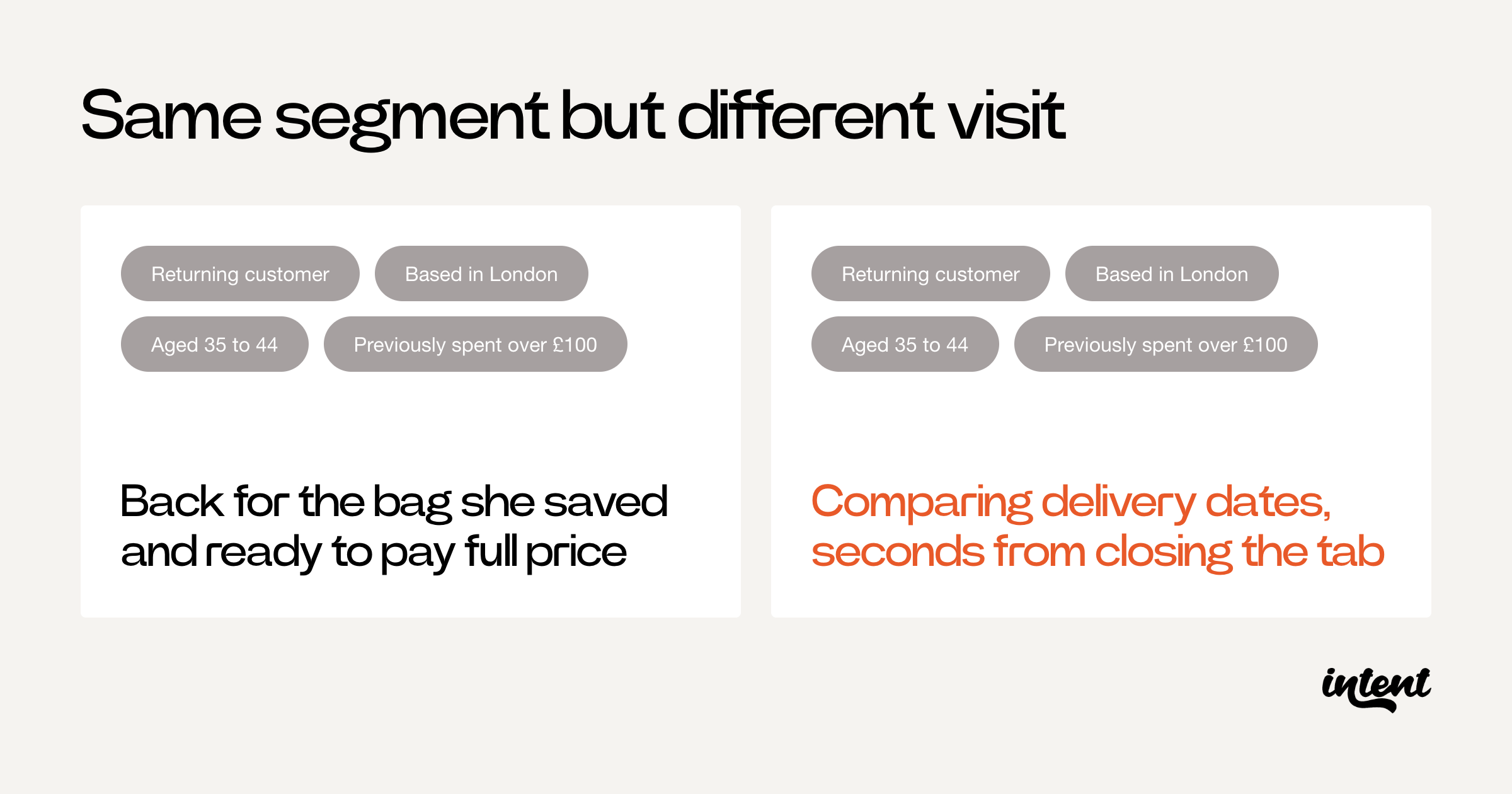
Two shoppers land on your site on a Tuesday evening. Both are returning customers who live in London and are between 35 and 44. In your customer data platform (CDP), they likely sit in the same segment.
One has come back for the bag she saved last week and is ready to buy it at full price. The other has the same bag in her basket and is comparing delivery dates across 3 sites. She’s a few seconds from closing the tab.
Both pause at the basket. If your rule gives returning customers 15% off when they pause, both see the same code. You’ve just discounted an order the shopper was ready to place at full price, and the other shopper still doesn’t know when the bag will arrive.
What is customer segmentation?
Customer segmentation groups customers by shared characteristics such as location, demographics, preferences or behaviour. In eCommerce, teams use those groups to decide which products and ranges to put first, which information to prioritise and who is eligible for an offer.
Customer segmentation vs market segmentation
Market segmentation divides a wider market so you can choose who to target and how to position your offer. Customer segmentation works with the people you already reach, including visitors, subscribers and buyers, to decide how to serve them.
The 4 types of customer segmentation
There are many ways to segment customers, and these four are the ones eCommerce teams use most. Each one supports a different onsite decision and stops being useful at a different point.
Demographic segmentation
Demographic segmentation groups customers by age, income, life stage or household. eCommerce teams can use it for range planning and to choose which assortment leads for a known audience.
A childrenswear retailer, for example, can use a household profile the customer chose to share to put the relevant age ranges first on return visits. The shopper should still be able to override that order easily.
If a shopper picks a different size or age range during the visit, that choice should drive the task in hand. The profile helps when they arrive and matters less once they start shopping.
Geographic segmentation
Geographic segmentation groups customers by country, region or postcode. It sets currency, fulfilment options and delivery promises, and it’s the one type you can use for every visitor, logged in or not.
Teams typically set the initial market from an estimated location, then confirm the promise once the shopper enters a delivery postcode.
Location tells you a shopper qualifies for next-day delivery. It can’t tell you whether showing a banner about it right now will help. Someone heading straight to checkout doesn’t need it, while someone hesitating over delivery does.
Psychographic segmentation
Psychographic segmentation groups customers by values, attitudes and interests. It helps you choose which product information to bring forward.
An outerwear retailer could put repairability and warranty details first for shoppers who’ve declared those preferences. A preference centre only gives you that signal for customers who fill it in and whom the site recognises.
Before building a separate experience, check how many shoppers have shared that preference and can be recognised on the site. A preference that’s common in survey responses can still reach too few shoppers to justify its own onsite rule, though it should still shape the proof points on every relevant product page.
Behavioural segmentation
Behavioural segmentation groups customers by what they’ve done, such as purchase recency, category affinity and loyalty activity. For recognised visitors, it decides what to surface. A beauty retailer can use order history to make a previous purchase easy to find.
Recency and affinity mean different things in different categories. A skincare purchase 6 weeks ago puts someone near a replenishment window. The same gap tells you little about when they’ll buy another winter coat.
Segments based on purchase history tell you what happened before this visit. Even in a likely replenishment window, this visit may show a search for an alternative or a gift. Page-based rules share the weakness, because a page view is a proxy, not a prediction. We cover behaviour in the current session in our guide to behavioural segmentation.
Other customer segmentation models
The four types are building blocks. Most teams combine them into models designed for a specific job, such as winning back lapsed customers or deciding where to spend, and these are the ones you’re most likely to meet in a CRM, CDP or analytics tool.
How eCommerce teams use segments onsite
A segment can look big in your CRM and still reach very few shoppers on the site. Say your CRM lists 10,000 customers who haven’t bought in 6 months, and you plan a basket offer just for them. The offer can only reach the ones who come back to the site, get as far as the basket and are logged in or recognised. That could be a few hundred people, not 10,000.
It helps to track how many visitors reach that decision point, how many the site can match, how many qualify and how many actually see the experience. Each drop tells you something different.
A poor match rate typically points to a data or identification problem. A large gap between qualifying and seeing the experience usually means another rule is suppressing the campaign, or visitors are moving on before it fires. Both differ from a campaign that reaches its audience and does little.
Anonymous visitors still carry useful session context, including their market, basket contents and browsing behaviour. If an offer needs order history to qualify, it’s worth checking what the rest of your traffic sees instead. A delivery promise, for example, usually needs only the basket and a postcode.
Overlapping rules can cause a different problem. A loyalty banner, a sale message and an email capture prompt may each have earned their place in a test, but then compete for attention on the same visit.
Teams that keep this under control give each rule an owner, a priority and a review date, and revisit it whenever its trading assumptions change. Without a review date, an offer that paid for itself in September can still be running on top of a November promotion.
If you’ve tried personalisation before and struggled to keep it running, the simplest place to start is cutting the number of rules that can fire at the same moment. A team might, for instance, reserve one basket placement for either reassurance or an offer, and decide in advance when the existing basket experience takes priority.
6 steps to a customer segmentation strategy
- Set the commercial goal. Teams agree which decision a segment should inform, and whether success means conversion, revenue or contribution per visitor.
- Check coverage. They measure how many eligible visitors the site can recognise when a rule runs, and what everyone else sees.
- Choose segments that change a decision. A small set, each with enough traffic to measure and a clear reason for different treatment.
- Define the experience. Each rule gets a priority, an expiry date and a fallback, which can be leaving the site as it is.
- Test against a holdout. A randomised control group shows what the rule adds, which a redemption report can’t.
- Respond to what’s happening in the visit. Use what happens in the visit to decide whether to act. If a repeat buyer starts comparing alternatives, test making those products easier to compare alongside their usual reorder option.
Customer segmentation examples in eCommerce
Here are five ways an eCommerce team could use segments onsite.
Where could your site respond better to what shoppers are doing? Explore the Intent Gap research.
The gap: every segment is defined in advance
Static segments are built from data that has already happened, such as a last order, a survey answer or a login, and they refresh on a schedule. Active segments update as new events arrive, so a shopper can enter or leave one mid-visit. That narrows the gap without closing it. Both rely on rules written before the visitor arrives. Rules based on order history or saved preferences need a matched profile. Rules based on what happens in the current visit can also work for anonymous shoppers.
What a conversion lift can cost
Say you split 20,000 eligible visitors evenly between a basket offer and a holdout. The example uses net sales after discounts and assumes £60 in variable costs per order in both groups.
The offer group placed 40 more orders and contributed £6,000 less. A redemption report would miss that, because it leaves out full-price orders and visitors who didn’t buy, and it can’t tell you how many redeemers would have bought anyway. The randomised holdout estimates what the same audience would have been worth on the existing site.
What an active segment can tell you
If your CDP updates segments as events arrive, you can already use live behaviour to change eligibility. The test is whether the event is specific enough to justify the action. A shopper opening delivery information can signal hesitation, or it can be a routine check they do every time before payment.
What the shopper does next gives you a better clue. A shopper who opens delivery information once and moves straight to payment is in a different position from one who returns to the basket twice after checking the delivery date. The second pattern justifies testing a more prominent delivery promise. If you’re considering a discount at that point, test it against delivery reassurance and the existing experience, because common behavioural proxies misread visits like these.
Segment rules also shape the behaviour you later use to define the segment. Keep giving prior code users discounts and you give them more chances to redeem, so a rising redemption rate looks like proof the rule was right. That’s how segments can become self-fulfilling prophecies.
Even with a holdout, an overall result can hide who lost out. A 5% overall lift can hide a 20% drop in a subgroup. Before writing a separate rule for that group, it’s worth checking how much traffic it represents and how precisely you’ve measured the effect.
Adding in-session intent to customer segmentation
Order history can help you decide what to put within easy reach. What a shopper does on this visit can help you decide whether to interrupt them at all. Shoppers move from browsing to refining, evaluating, deciding and committing, and they revisit earlier stages as they go.
The stage tells you what sort of help to test. Whether the shopper is moving forward or getting stuck tells you whether the moment calls for it. Segmenting by buying stage works for anonymous visitors too.
Let's take a returning customer with a history of high-value orders. Their profile justifies putting a premium edit within easy reach, and the same profile could sit behind any of these visits.
Each response is a hypothesis that earns its place by improving the outcome you care about. If shoppers open delivery information because their order will arrive too late, a more prominent delivery date saves them time and may do little for immediate conversion.
Every segment, stage and tactic you combine adds rules your team has to maintain. Intent uses in-session behaviour to understand how a visit is progressing, then decides in real time whether to show an existing tactic, such as reassurance, social proof or a discount, or leave the experience as it is. See how it works.
Diamonds Factory offered 25% off to every shopper who abandoned their basket. Conversions rose 11%, but AOV fell 6.7%, and the gain was worth barely £8k a month. “We were basically training the customer to wait for a deal, which in return was affecting margin,” says Jo Homer, Director of CX at parent company Neve Jewels Group.
The team then tested 4 possible responses, aiming to increase revenue per customer. The options were 25% off, 15% off, a trust message or no intervention. The campaign showed nothing to 52% of customers. Revenue per customer rose from £127 in the control to £145 in the campaign group, a reported 13.8% uplift, and Diamonds Factory turned basket abandonment into £1.6m in annual incremental revenue.
Where could your site respond better to what shoppers are doing in the moment? Explore the Intent Gap research to see where those opportunities show up.

Become an Intent Insider
Get subscriber-only insights we don't publish anywhere else and event invites before anyone else.
By submitting this form you agree to our (more than fair) terms.